– Favorite folders editing.
– Option to run a custom .cmd file on task completion.
– md5sum format for most hashes.
– Better icon for “Waiting for other transfers” status.
Download: teracopy3.21.exe
– Favorite folders editing.
– Option to run a custom .cmd file on task completion.
– md5sum format for most hashes.
– Better icon for “Waiting for other transfers” status.
Download: teracopy3.21.exe
– Added: Multi-language support.
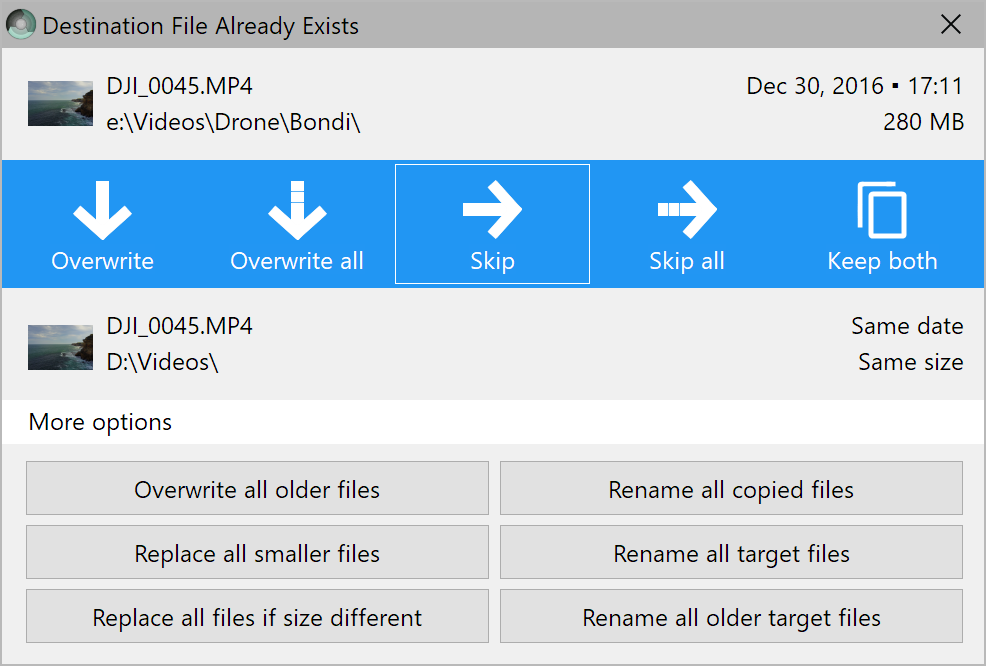
– Added: Show all options in the File Replace dialog.
– Fixed: ‘Keep both’ now applies to one file only.
– Added: ‘Close panels’ command.
– Fixed: crash while scrolling log.
TeraCopy currently fully translated into Dutch, Spanish, French, Italian, German, and Russian.

Note: a newer version is now available.
To get started, please request access on Web Translate It. Translation can be done directly on the site. The next version of TeraCopy will support language files.
To get started, please visit Crowdin. Translation can be done directly on the site
Download: codesector.com/files/directfolders.exe
Changelog:
0000065: [UI] Can’t close TeraCopy while copying
0000078: [Engine] Drag and Drop from Filezilla causes “Unable to Access” error
0000080: [Engine] Copied files have their “Date Modified” set to the current date/time.
0000092: [UI] “Details” pane in teracopy.exe installation package should show exact version
0000070: [UI] Adding color glow/change to close and expand square buttons.
0000044: [Engine] Drag and Drop from 7-Zip File Manager causes “Unable to Access” error
0000068: [Engine] TeraCopy 3.0 does not handle command line as expected
0000071: [Engine] Folder names with dots are handled incorrectly by TeraCopy
Download: newer version available.