TeraCopy 3.4 beta

Changelog:

  • ‘Show notification’ option.
  • Delete files using selectors.
  • File list mouse scroll fix.
  • Delete files using selectors.
  • Remember the width for both full and compact views.
  • Better progress indication during file deletion and verification.
  • Update the total size when files added during file transfer.
  • Option to keep transfer history permanently.
  • Save and restore transfer options
  • Other minor bugfixes.

Note: a newer version is now available.

Windows 10 version 1809 or higher is required for switching to dark theme automatically.
TeraCopy 3.4 alpha

Changelog:

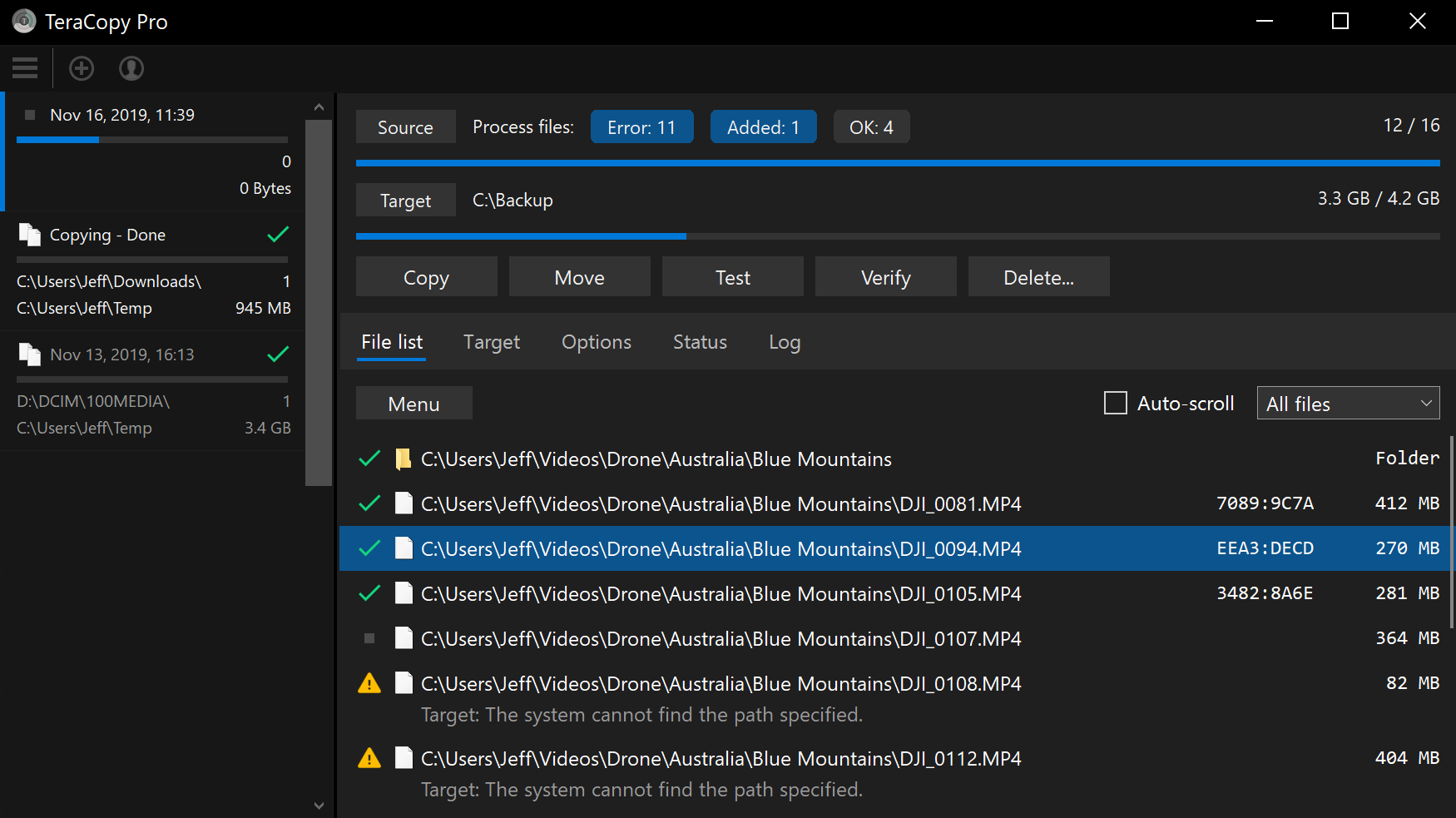
  • Support for Windows 10 Dark Mode.
  • Sidebar with a list of recent file transfers.
  • Better progress tracking system.
  • Selectors for processing failed/skipped files.
  • Custom toolbar with tooltips panel.
  • Two progress bars on the main screen.
  • Filelist scrolling with a touchscreen.
  • Using GDI drawing routines instead of DirectDraw.

Dec 15: added support for Windows 7 and above.

Windows 10 version 1809 or higher is required for switching to dark theme automatically.
TeraCopy 3.4 progress update

The next version is almost ready, it will be more helpful in case if something goes wrong with a file transfer.

To retry the operation, simply click Next to return to the ‘start screen’. Select which files (failed/skipped/etc) you want to process again. You can also verify files against any target folder even before copying.